43. Exercise: More Weather Details
In this exercise, you'll set up the Details Activity to use CursorLoaders (just like we did with the Forecast Activity) to display more weather information in the Detail Layout.
Exercise Code
Exercise: S09.05-Exercise-MoreDetails
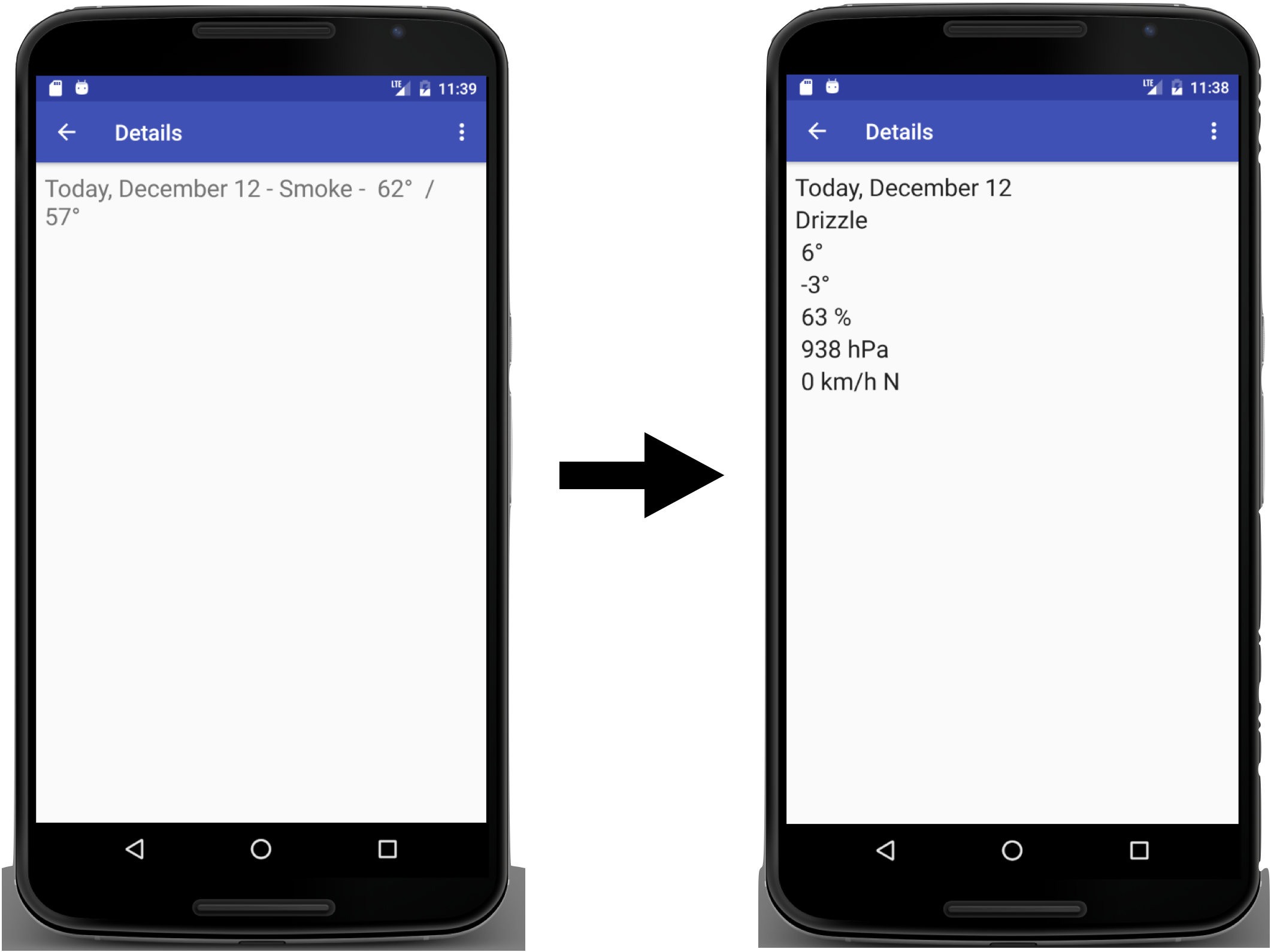
The new Detail Layout should include a text view for each of the following in a Linear Layout:
- The selected day's date
- The selected day's weather description
- The selected day's high temperature
- The selected day's low temperature
- The selected day's humidity
- The selected day's pressure
- The selected day's wind information
And then update the DetailActivity to find those views by ID and initialize them inonCreate
Create a projection array of Strings and indices to help query weather details for that date!
Then set the DetailActivity class to implement LoaderManager.LoaderCallbacks
onCreateLoader: Checks if the loader requested is our detail loader, return the appropriate CursorLoader.onLoadFinished: Gets all the weather detail information from the cursor and displays them in the appropriate views.onLoaderReset: Don't do anything in it yet
Initialize the loader in DetailActivity's onCreate
Then Update the ForecastAdapterOnClickHandler and refactor onClick to accept a long as its parameter rather than a String and in onClick instead of passing the String for the clicked item, pass the date from the cursor.
And finally refactor MainActivity's onClick to build a URI for the clicked date and and pass it to the DetailActivty with the Intent using setData.
Exercise: More Weather Details
SOLUTION:
- Change the Detail layout to display each weather detail in a separate view
- Update the DetailActivity class to implement LoaderCallbacks
- Override onCreateLoader and onLoadFinished to query the weather details by date
- Update MainActivity and ForecastAdapter to pass in the date through click handlers